Enter basic regatta details
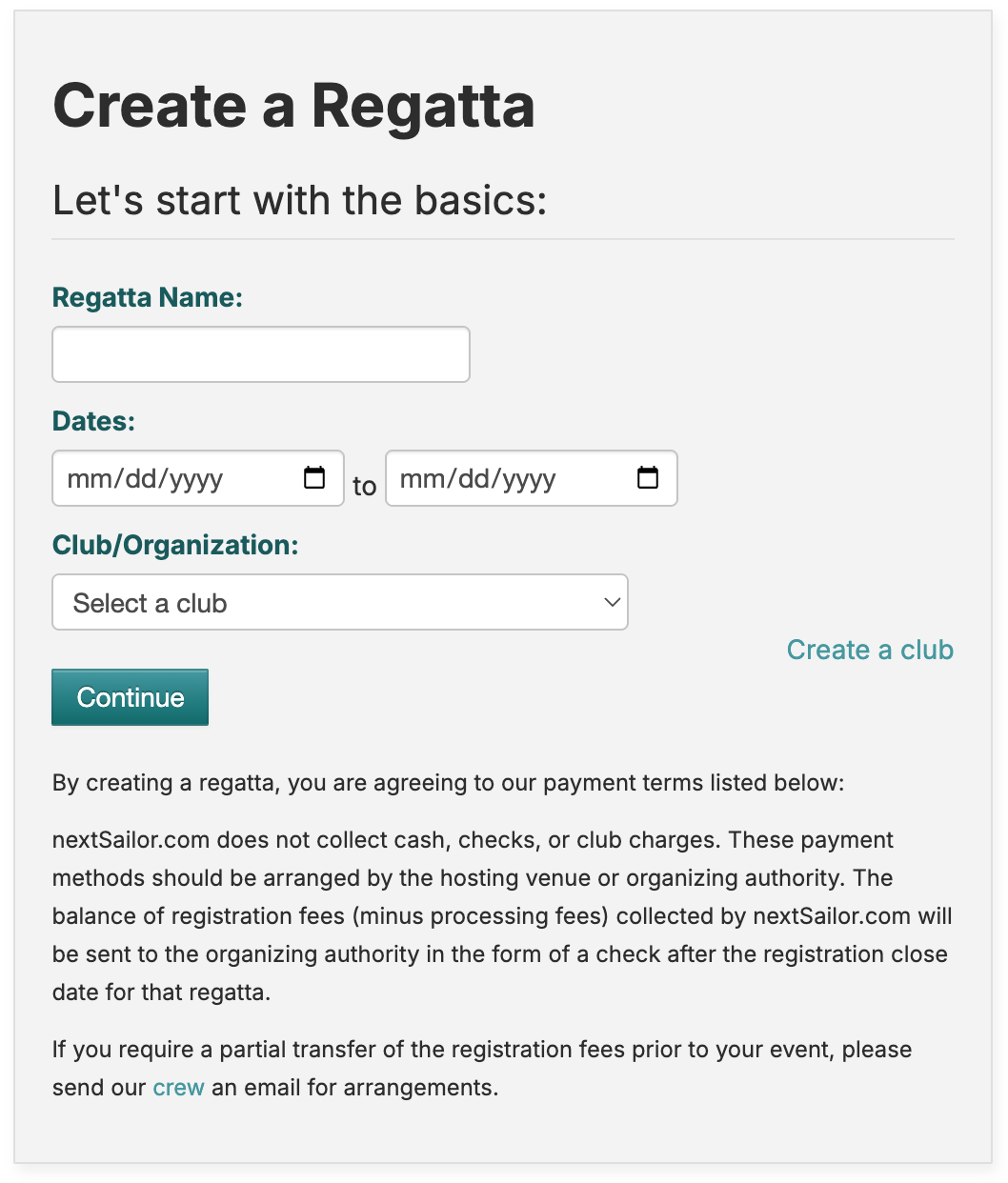
To start building your EZ regatta, click "My Regattas" -> "Create a New Regatta" in the top navigation bar.
Some important settings to note:
- Regatta is Public or Hidden. Public regattas will show up on the search tool on https://nextsailor.com. Hidden regattas are still accessible, but sailors will need the link to view the regatta.
- Check off which type of payment options you want to offer. nextSailor only handles credit card, so if you choose cash or club charge, you will need to collect this at registration.
- Registration Closed date is based on GMT, so adjust the date/time accodingly for your timezone offset.
Creating EZ classes for your regatta
Once your regatta is created, you can start adding classes. Click "Add Class" to start with the details of your first class.
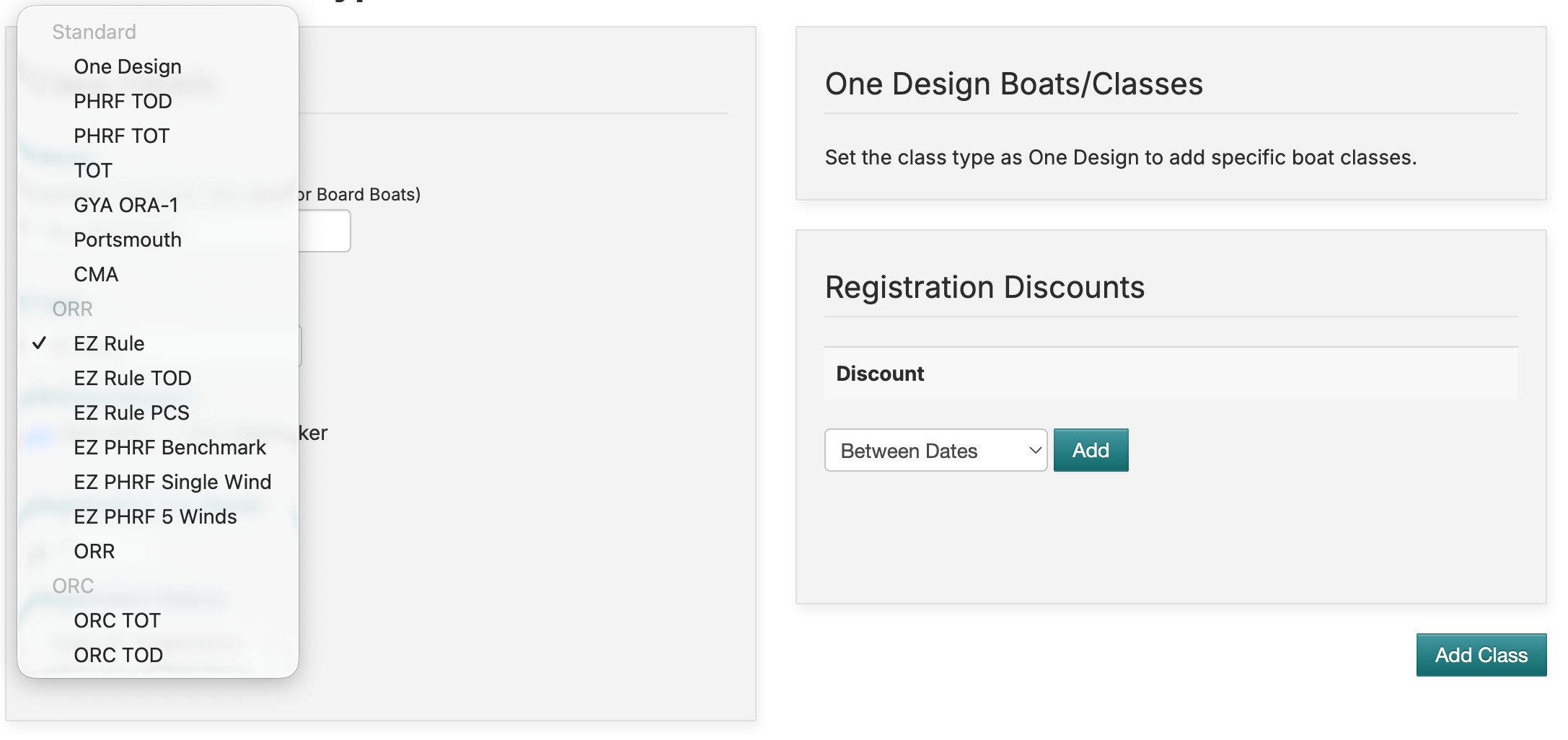
You will want to name your class (Spinnaker, Class A, etc.), then pick the class "type". nextSailor offers all the EZ rating types on this dropdown:
- EZ Rule -> Standard Time-on-Time Scoring
- EZ Rule TOD -> Time-on-Distance Scoring where the ratings are absolute so corrected times will be close to 0
- EZ Rule PCS -> Uses the Performance Curve Scoring method where the ratings are based on a curve fit to ratings on the PCS Ratings part of the certificate, based on course configuration
- EZ PHRF Benchmark -> Uses the PHRF BM rating for the boat, also known as the "single number" rating. This rating is based on the IR# for the boat, aligned with the Farr 40.
- EZ PHRF Single Wind -> One rating per course configuration.
- EZ PHRF 5-Wind -> Similar to the EZ Rule TOD, but the ratings are aligned to the Farr 40.
Which should you use?
A lot of the decision about which EZ system to use for your regatta will be based on balancing how simple you want the ratings to be for your sailors vs. how accurate do you want to apply those ratings. For small events like Wednesday night racing, EZ PHRF Single Wind can be a great option to keep things simple but still have different ratings for the type of courses you might sail. As the regattas get more serious, you may want to consider the EZ Rule for standard Time-on-Time scoring (more forgiving for changes in wind speed) or the EZ Rule PCS for more accurate scoring that captures the small differences between boat performance.
Also be sure to select the "rating category" for your class. This will default the class to be scored either with the spinnaker or non-spinnaker ratings for the regatta.
Adding boats to your regatta
Click on "Entries" to manage the entries for your regatta. This screen will show you all of the boats that registered for your event and allow you to edit their details.
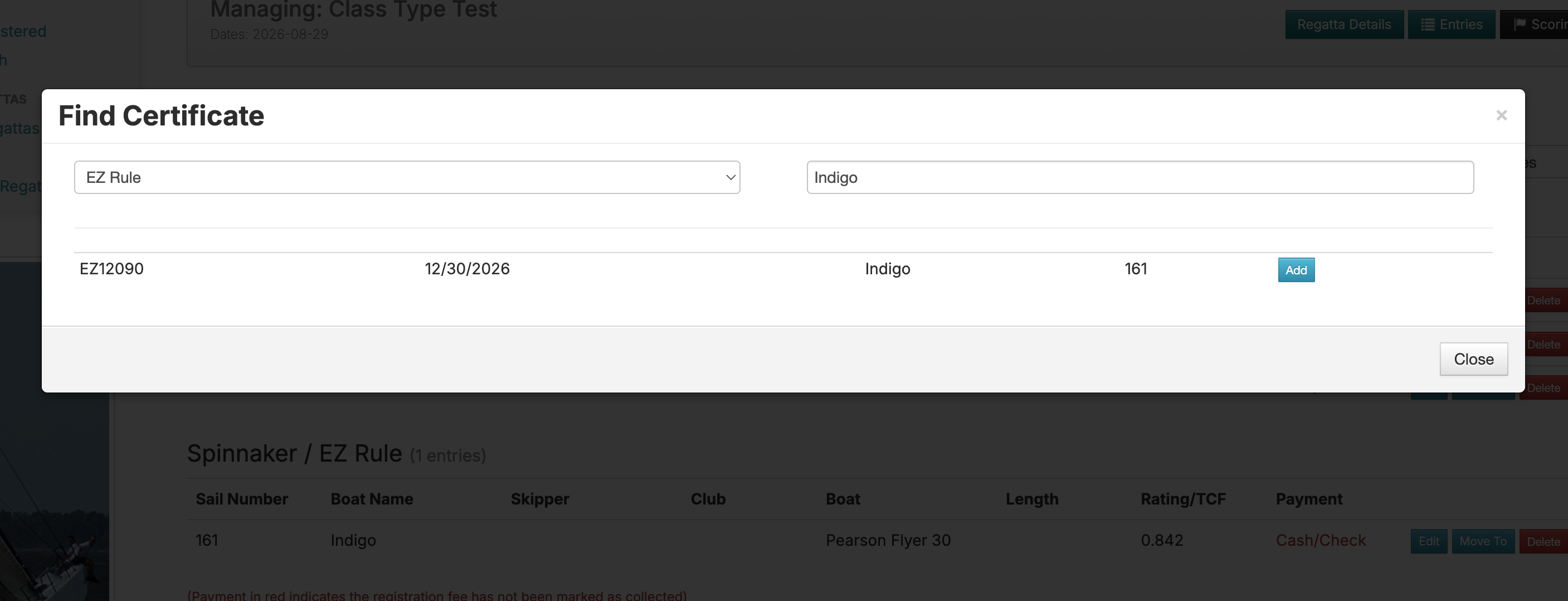
To add a boat yourself for EZ, click on "Find/Add Boat". You will be presented with a search tool. Select "EZ Rule" from the dropdown and enter either the sail number, boat name, or EZ certificate number to find the boat you want to add. After you click "Add" for the boat you want to add, be sure to check the skipper and class you're adding the boat to.
If a boat has registered but didn't enter their EZ certificate number, click "Edit" for the boat, then click on the "Certs" tab -> "Add Cert". You will get the same search tool to find the boat's certificate and add it to their entry.
Scoring your regatta
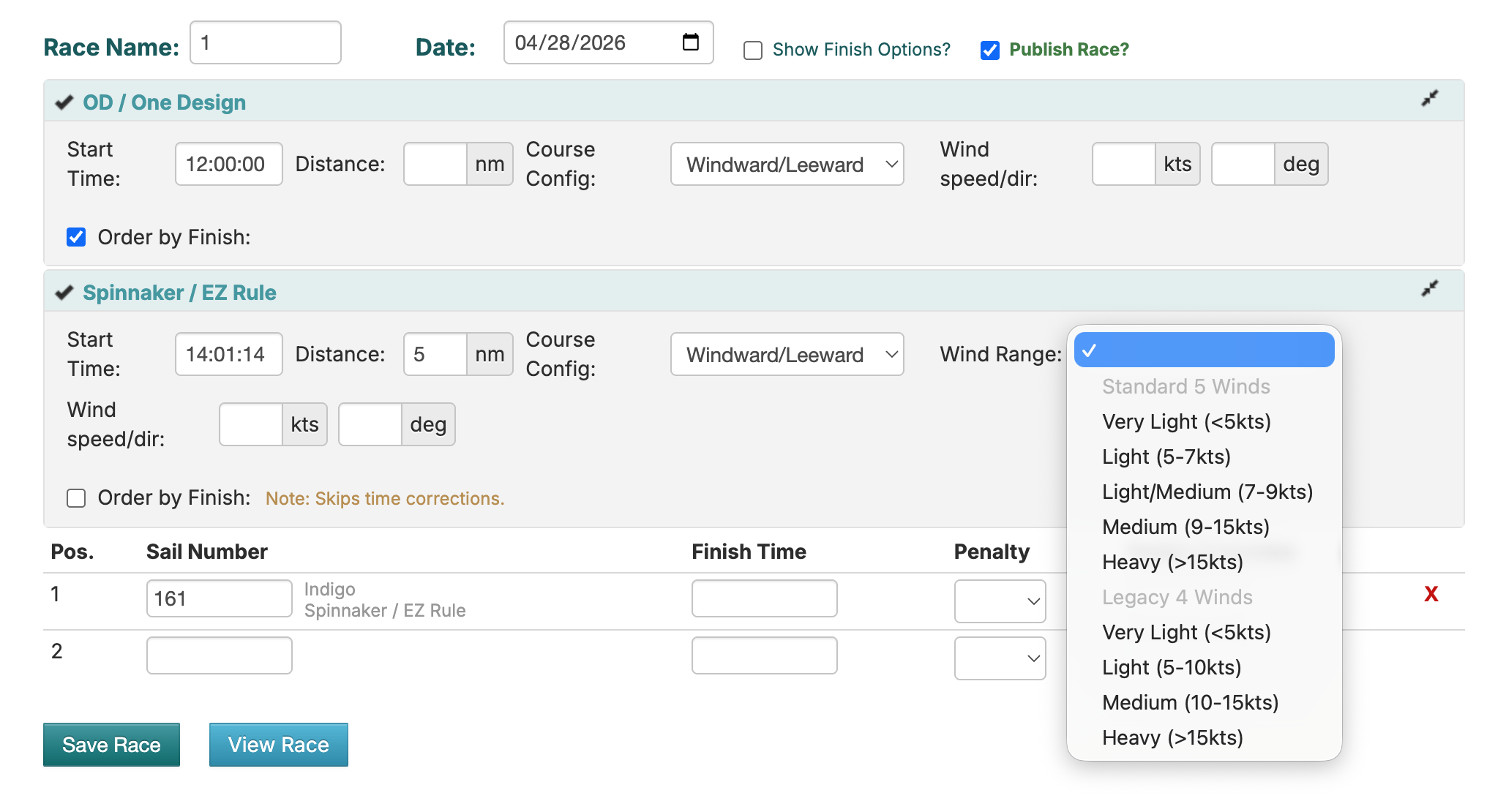
Scoring an EZ regatta only requires 2 more pieces of information compared to a PHRF regatta: the wind range and course configuration for each race. The wind range is used to determine which rating to apply for each boat in the race. It's important to check the wind speed a few times during each race and for best accuracy, get wind speed readings from the mark set boat and not just the committee boat. Use the average of these readings to pick the wind range for the race.
After you save the finishes and view the results, if you see any boats with a 0.000 or incorrect looking rating, be sure to go back to the entries screen and make sure each boat has their property certificate assigned.